
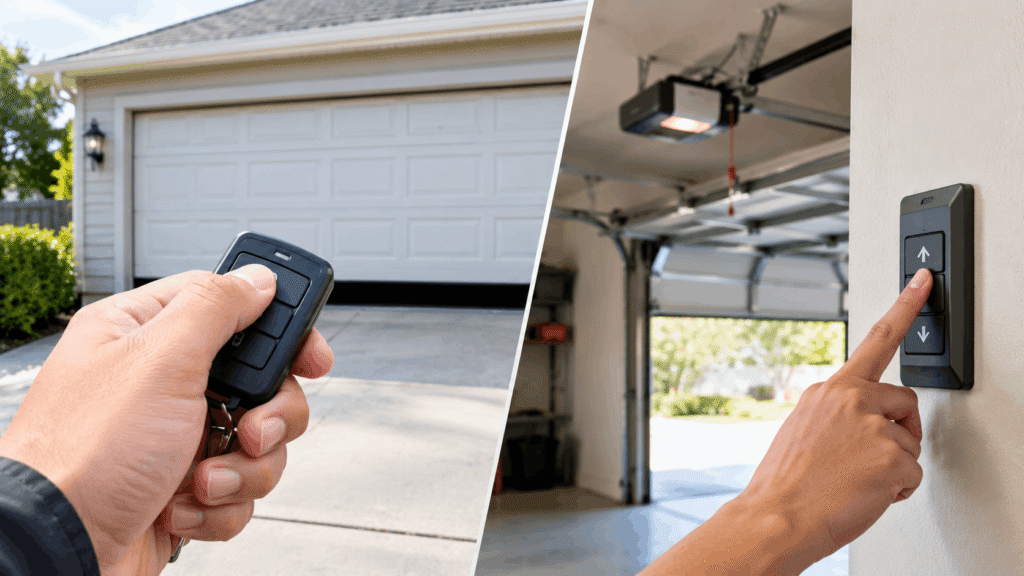
You press the remote button in your driveway and nothing happens — but when you walk over and hit the wall switch inside the garage, the door opens like normal. That contrast is actually useful information: it means the opener’s motor and power supply are fine, and the fix is almost always something you can handle yourself without a service call.
Table of Contents
Quick Answer: If your garage door remote doesn’t work but the wall button does, the opener’s motor and power supply are fine. The remote itself has failed — usually from a dead battery, lost programming, a damaged antenna on the opener, or signal interference. Test in that order before assuming you need a replacement.
What You Need to Know
- The wall button working rules out motor, power, and safety-sensor problems entirely — this is 100% a remote-side issue.
- Dead batteries and lost programming cause the majority of these cases and take under 5 minutes to fix.
- A bent or broken antenna on the opener’s motor unit is the most overlooked cause.
- Garage door remotes run on FCC-regulated frequencies (roughly 300–390 MHz), so nearby wireless devices can occasionally interfere.
- If reprogramming and a fresh battery don’t fix it, the remote itself has likely failed.
What It Means When the Wall Button Works But the Remote Doesn’t
The wall button and the remote control the same motor through two completely different paths. The wall button sends a signal through a physical wire, while the remote sends a radio signal that the opener’s antenna has to catch.
If your remote doesn’t work but the wall button does, the opener’s motor and power supply are fine. The remote itself has failed — usually from a dead battery, lost programming, a damaged antenna on the opener, or signal interference. That single fact eliminates half the possible causes before you even open the remote’s battery cover.
Quick Diagnostic Checklist
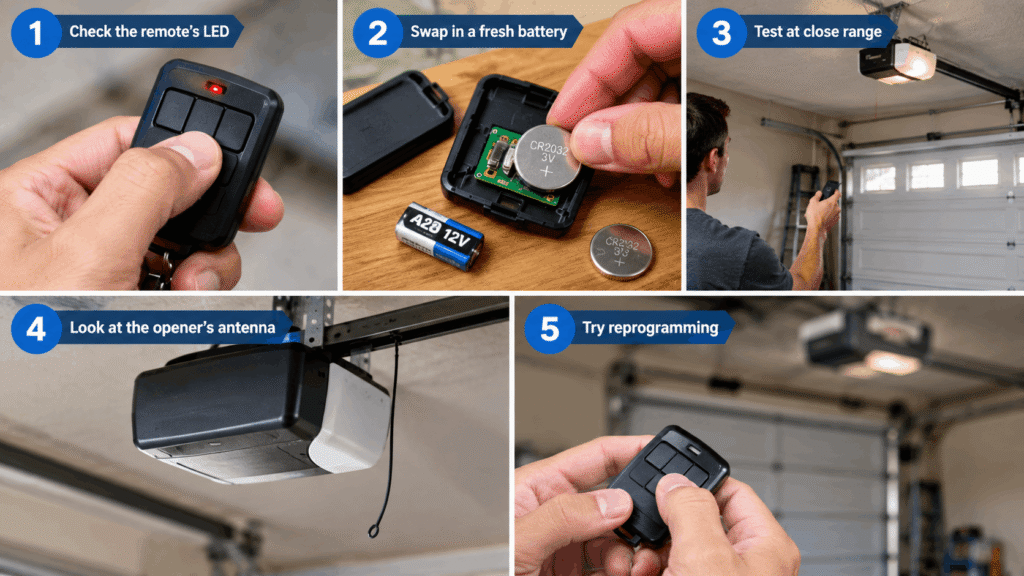
Work through these in order — each one takes under two minutes:
- Check the remote’s LED. Press the button and watch for a small light on the remote itself. No light usually means a dead battery.
- Swap in a fresh battery. Most remotes use a 3-volt CR2032 or CR2016 coin cell; some use a 12-volt A23 battery. Check your remote’s back panel for the exact type.
- Test at close range. Stand within 5 feet of the opener’s motor unit and press the button. If it works up close but not from your car, the issue is range or antenna, not the remote’s electronics.
- Look at the opener’s antenna. It’s a thin wire hanging from the motor unit, usually 6–12 inches long. If it’s bent, cut, or tucked up out of the way, that’s your problem.
- Try reprogramming. If the remote lights up but the door still doesn’t respond, it has likely lost its stored code.
Reason 1: Dead or Weak Battery
A dead battery is the single most common cause of this exact symptom, and it’s the first thing to rule out. Most remotes run on a 3-volt coin-cell battery that typically lasts 1–2 years with normal use.
A battery that’s weak rather than fully dead can produce a strange in-between symptom: the remote works up close but not from 30–50 feet away, because it doesn’t have enough power to transmit at full range. If your remote’s LED looks dim or doesn’t light at all, replace the battery before testing anything else.
Reason 2: Remote Lost Its Programming
Garage door openers store a specific code for each remote, and that code can get erased by a power outage, a reset button being bumped, or the opener’s logic board losing memory. When this happens, the remote’s battery and buttons work fine, but the opener no longer recognizes its signal.
You’ll know this is the cause if the remote’s LED lights up normally when pressed (confirming the battery is good) but the door still doesn’t respond at any distance. The fix is a straightforward reprogramming, covered step-by-step below.
Reason 3: Broken or Damaged Antenna on the Opener
This is the cause most homeowners overlook because it’s on the opener, not the remote. The antenna is a thin wire hanging from the motor unit, and if it’s bent, cut, or pushed up against the housing, it can’t receive a signal even from close range.
Vibration from the door’s regular operation can gradually work the antenna loose or bend it out of position over months or years. Check that it hangs freely and points downward, away from the motor housing and any metal surfaces. If the wire is visibly damaged, it typically needs replacing by a technician rather than a DIY fix.
Reason 4: Signal Interference
Garage door remotes operate on FCC-regulated frequencies, most commonly in the 300–390 MHz range. Other wireless devices on nearby frequencies — baby monitors, some LED light fixtures, and certain security systems — can occasionally interfere with that signal.
This cause is less common than a dead battery or lost programming, but it’s worth ruling out if you’ve recently added a new wireless device near the garage. Temporarily unplugging suspected devices and retesting the remote is the simplest way to check.
Reason 5: Remote Is Out of Range or Physically Damaged
Most garage door remotes are rated for roughly 50–75 feet of open-air range, though metal buildings, dense trees, or a detached garage can cut that significantly. If the remote only fails at a distance, this — not a hardware failure — is often the real explanation.
Physical damage is the other possibility: a dropped remote, a cracked circuit board, or water exposure from being left in a car cupholder during rain can all kill a remote outright, even with a fresh battery installed.
Troubleshooting Decision Tree
Wall button works, remote doesn't →
├─ Remote LED doesn't light when pressed
│   └─ Battery dead → Replace battery, retest
├─ LED lights but door doesn't respond
│   ├─ Worked recently, stopped suddenly → Lost programming → Reprogram (see below)
│   └─ Never worked well, or weak/inconsistent → Antenna damaged or interference →
│       Check antenna position, then test with nearby wireless devices unplugged
└─ Works up close, fails at range or from the car
    └─ Weak battery or antenna positioning → Replace battery first, then check antenna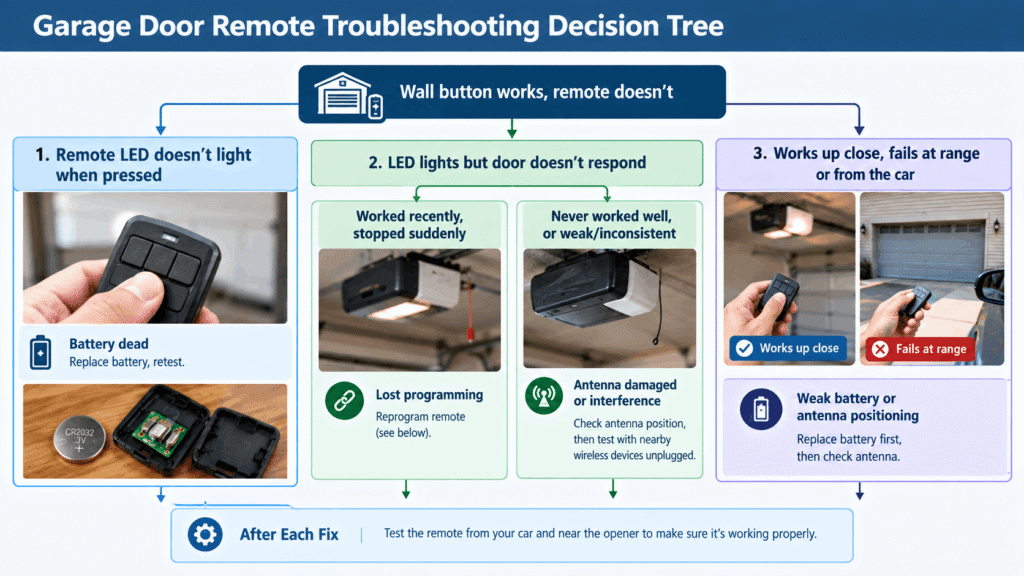
Save or screenshot this decision tree — it covers the five most common causes in the order they’re worth checking, so you don’t waste time guessing. If you’d rather have a printable version to keep in the garage, our [garage door troubleshooting checklist] is built around this exact flow.
How to Reprogram Your Garage Door Remote
If your battery is fresh and the LED lights up but the door still won’t respond, reprogramming almost always solves it. The exact steps vary slightly by opener brand, but the general process is consistent:
- Locate the “Learn” button on the opener’s motor unit. It’s usually near where the antenna wire attaches, and it’s typically a small square button, often purple, orange, or yellow depending on the brand.
- Press and release the Learn button once. An indicator light near the button will turn on and stay lit for about 30 seconds — this is your programming window.
- Within that 30-second window, press and hold the remote button you want to program. Hold it for 2–3 seconds until you hear the opener click or see its light blink.
- Test the remote immediately. Press it from a few feet away first, then from your normal driveway distance.
- Repeat for a second remote if you own one, since some openers only store one code at a time until reset.
If the opener’s Learn light doesn’t turn on when pressed, that points to an opener-side electrical issue rather than a remote problem — a different repair covered in our 9 Common Garage Door Opener Problems and How to Fix Them guide.
When the Remote Just Needs Replacing
If you’ve tried a fresh battery and reprogramming and the remote still won’t respond, the remote’s internal circuit board has likely failed. At that point, replacing it is almost always cheaper and faster than a service call, since universal replacement remotes typically cost far less than a technician visit.
[CONTENT GAP: link to a “Best Universal Garage Door Remote Replacements” buying guide once published — this article is a strong traffic feeder for that page.]
When to Call a Professional Instead
Everything above is a DIY fix, but there’s one exception worth knowing: if the antenna wire is cut, corroded, or the opener’s receiver circuit board itself is damaged, that’s an electrical repair rather than a remote swap. According to the Door and Access Systems Manufacturers Association (DASMA), opener logic board repairs and antenna replacements should be handled by a qualified technician, since they involve opening the motor housing and working near the opener’s electrical components.
If you’ve ruled out battery, programming, antenna position, and interference and the remote still doesn’t work, that’s your signal to call a professional rather than keep troubleshooting.
Common Mistakes to Avoid
- Assuming the remote is dead without checking the battery type first. Some remotes use less common batteries (A23, CR2016) that aren’t in every junk drawer — checking before buying the wrong replacement wastes a trip.
- Reprogramming before checking the battery. If the battery is weak, reprogramming can appear to “half work” and create confusing, inconsistent results.
- Overlooking the antenna because it’s on the opener, not the remote. This is the cause most people skip entirely, since it doesn’t feel like a “remote problem.”
- Testing range from the exact spot where it failed originally, instead of testing close-range first to isolate whether it’s a power issue or a range issue.
FAQs
Why is my garage door opener not responding to the remote?
The most common reasons are a dead remote battery, a remote that’s lost its programmed code, a damaged or misaligned antenna on the opener, or signal interference from another wireless device. Since the wall button uses a wired connection rather than a radio signal, it will keep working even when all of these remote-side issues are present.
My garage door wall button and remote are not working. What can I do?
This is a different issue than a remote-only failure — if the wall button also doesn’t respond, the problem is likely with the opener’s power supply, motor, or safety sensors rather than the remote. Check that the opener is plugged in and that nothing is blocking the safety sensor beams near the floor.
Why is my garage door not opening when I press the button?
If this refers to the wall button specifically, check that the opener is receiving power and that the safety sensors near the bottom of the tracks are aligned and unobstructed, since most openers refuse to operate if either sensor’s light is blinking.
My garage door remote works going up but not down. What could be the problem?
This usually points to a safety sensor issue rather than the remote itself, since most openers block the “close” command specifically when a sensor beam is interrupted or misaligned, while still allowing the door to open normally.
How far should a garage door remote work from the opener?
Most residential garage door remotes are rated for roughly 50 to 75 feet of open-air range. Metal siding, dense trees, or a detached garage can reduce that range noticeably, which is why testing close-range first helps separate a range issue from a hardware failure.
What to Do Next
If a fresh battery and reprogramming didn’t solve it, start with our Garage Door Opener Troubleshooting Guide for a broader diagnostic path. If the noise or behavior suggests a different symptom entirely, check Garage Door Opener Making Noise But Not Moving? Here’s Why to confirm you’re looking at the right issue. And if you’re seeing multiple problems at once, 9 Common Garage Door Opener Problems and How to Fix Them covers the full range of what can go wrong beyond the remote.