
The lights just flickered back on, you hit the remote, and your garage door opener didn’t so much as blink. You need to get the car out in ten minutes and the opener isn’t cooperating. Most of the time, this isn’t damage — it’s a memory reset, and it’s fixable in under five minutes.
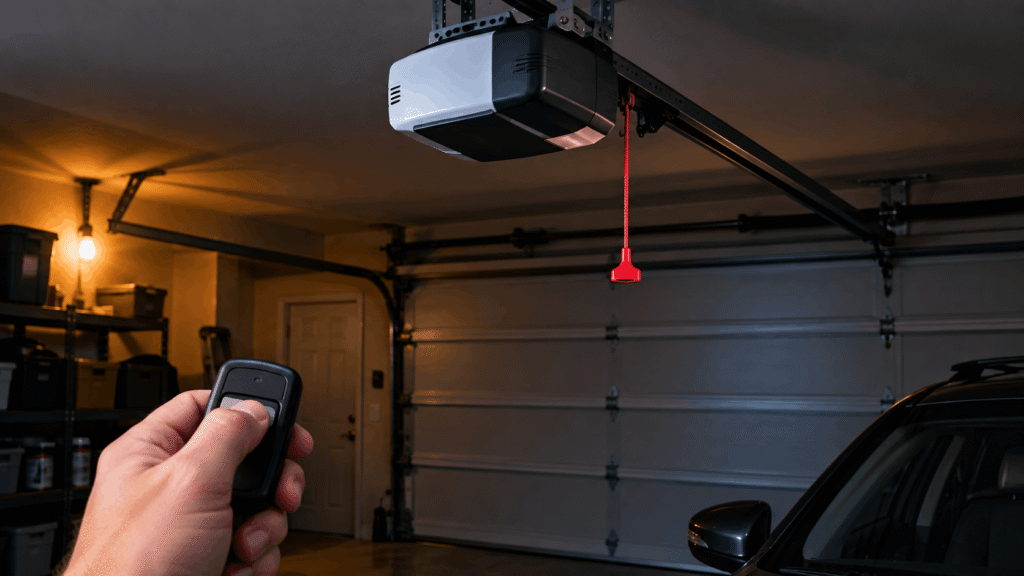
Quick Answer: After a power outage, most garage door openers lose their programming or need a manual reset — they’re not usually damaged. Unplug the opener for 10 seconds, plug it back in, and wait 15-20 seconds for the motor unit to reboot. If the door still won’t respond, check the wall switch, the circuit breaker, and whether the manual release cord has been accidentally pulled.
What You Need to Know:
- A power outage rarely destroys the opener’s motor — it usually just clears the unit’s short-term memory, requiring a simple reset.
- If you need the car out during the outage, pull the red manual release cord to disconnect the opener and lift the door by hand.
- “Has power but won’t respond” and “won’t reset at all” are two different problems with two different fixes.
- Remotes and keypads may need to be reprogrammed separately after the opener resets — this is normal, not a sign of a broken remote.
- If the door won’t reverse when it hits an object, stop using it and call a professional immediately — this is a safety issue, not a convenience one.
Why Won’t My Garage Door Opener Work After a Power Outage?
Most garage door opener motor units run on rolling code technology — a security system that generates a new access code every time a button is pressed, so a stored transmitter code never gets reused. Garage door opener is a system consisting of a motor unit, one or more wall controls, remotes, and infrared safety sensors, used to raise and lower a garage door automatically. When power cuts out abruptly instead of shutting down normally, the motor unit’s internal memory can lose its place in that code sequence, or the control board can freeze mid-cycle. Neither of these means anything is broken. In most cases, a hard reset (unplugging and replugging the unit) restores normal function within seconds.
First, How to Manually Open Your Garage Door During the Outage
If you need the car out right now and the power still isn’t back, don’t wait on the opener at all — disconnect it and open the door by hand.
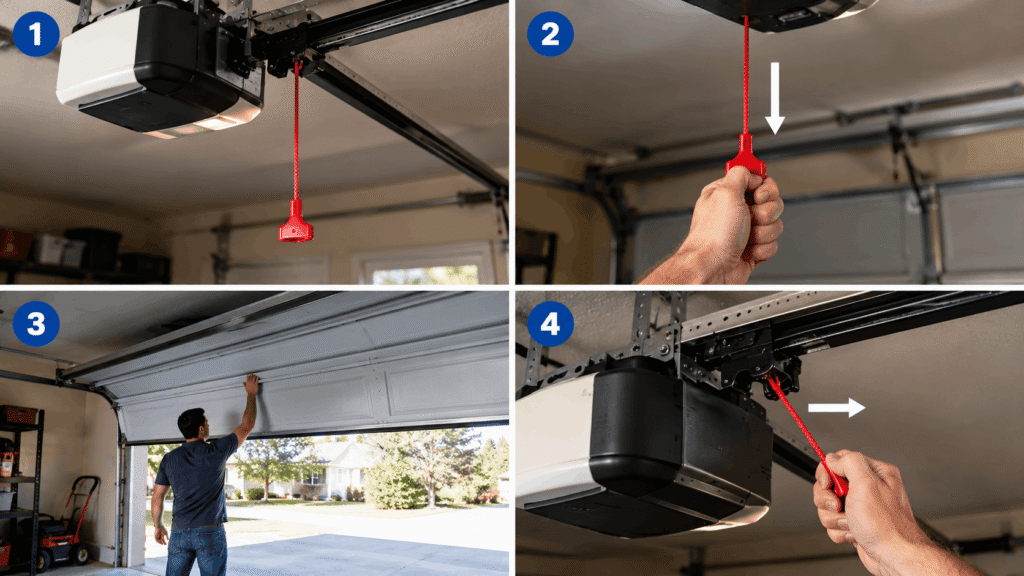
- Locate the manual release cord. It’s typically a red rope or handle hanging from a track near the motor unit, roughly in the center of the garage ceiling.
- Pull the cord straight down. This disengages the trolley from the drive mechanism, freeing the door to move independently of the motor.
- Lift the door manually. A properly balanced door should lift smoothly with one hand and stay open on its own — if it feels heavy or drops on its own, stop and don’t force it; that’s a spring problem, not an outage problem.
- Reconnect the trolley once power is back. Pull the cord toward the door (or follow your opener’s specific reconnect motion) until you hear or feel it lock back into the carriage.
How to Reset Your Garage Door Opener After Power Is Restored
Once power is confirmed on (check a lamp or outlet if you’re not sure), reset the opener in this order.
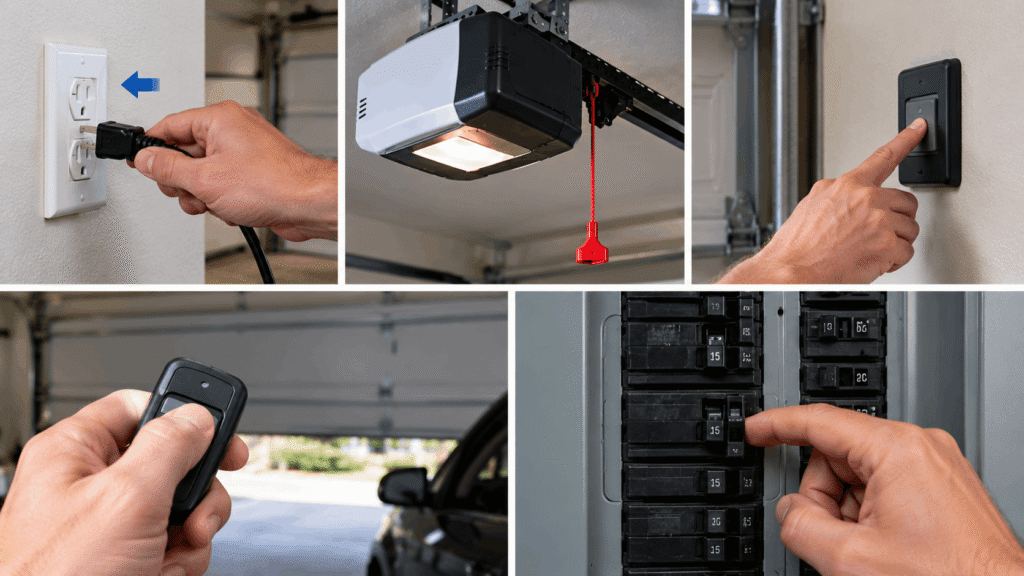
- Unplug the opener from the wall outlet for 10 full seconds. This clears any frozen state in the control board — don’t just flip the breaker back on and assume that’s equivalent.
- Plug it back in and wait 15-20 seconds. Most motor units run a self-check on power-up; you may hear a click or see an LED blink during this window.
- Test the wall control button first, not the remote. The wall button is hard-wired and isolates whether the problem is the opener itself or just the wireless remotes.
- If the wall button works but the remote doesn’t, the remote’s code needs to be re-learned — this is expected after a reset, not a defect.
- If nothing responds at all, check the circuit breaker for the garage door outlet specifically; a surge during the outage can trip that breaker independently of your home’s main power.
Standard Openers vs. Battery-Backup Models
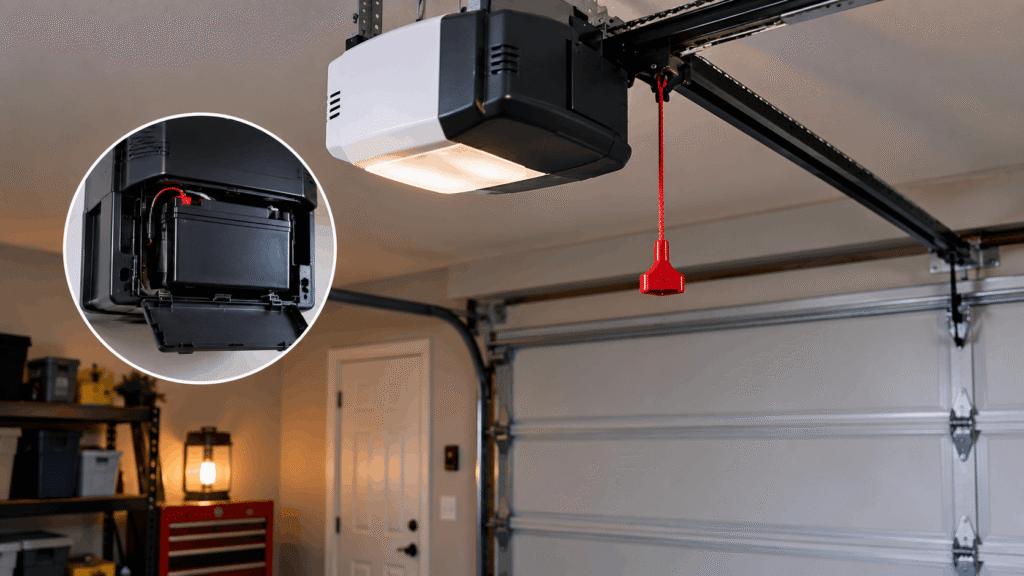
Openers manufactured with battery backup (common on newer models, and required in some states for homes without a secondary manual entry to the garage) should keep working during the outage itself, just more slowly and quietly than usual. If your opener has a battery backup and it didn’t respond at all during the outage, the backup battery itself may be dead or disconnected — that’s worth checking separately from the reset steps above, since a dead backup battery won’t be fixed by unplugging and replugging the unit.
Still Not Working? Use This Decision Tree
| What you observe | Most likely cause | What to do |
|---|---|---|
| No lights, no sound at all | Tripped breaker or dead outlet | Check the breaker for the garage circuit; test the outlet with another device |
| Lights on, but ignores remote and wall button | Frozen control board | Unplug for 10 seconds, replug, wait 20 seconds |
| Lights on, wall button works, remote doesn’t | Remote code needs re-learning | Reprogram the remote following your model’s “learn” button sequence |
| Motor hums but door doesn’t move | Manual release still disengaged | Reconnect the trolley (see manual-open steps above) |
| Door moves but stops or reverses partway | Sensor misalignment, unrelated to the outage | Check and realign the two sensors near the floor on each side of the door |
Save or screenshot this decision tree — it covers every common post-outage symptom without needing a technician visit first.
My Opener Has Power But Still Won’t Respond — What’s Different?
This is a separate problem from a simple reset, and it points to something between the wall outlet and the motor rather than the programming.
A blown capacitor is the most common cause of “has power but won’t run” after an electrical event. The capacitor stores the charge needed to start the motor; a power surge during an outage (or the moment power returns) can damage it even when the rest of the unit still lights up normally. Other causes include a tripped internal thermal overload switch (from the motor working right when the surge hit) or, less commonly, a burned-out logic board. None of these are DIY-repairable the way a reset is — they call for a professional inspection rather than more troubleshooting.
Remote or Keypad Not Working After the Reset?
If the wall button operates the door normally but your remote or keypad still doesn’t respond after a reset, the issue almost always sits with the transmitter’s stored code, not the opener itself. Our full breakdown of remote-specific fixes walks through re-syncing remotes and keypads step by step, including battery checks that are easy to overlook after an outage.
Common Mistakes to Avoid
- Forcing the door down manually while it’s still connected to the motor. This can strip the trolley or bend the track — always pull the release cord first.
- Assuming a reset fixed everything after one test on the wall button. Test the remote and keypad separately; a working wall button doesn’t confirm the remote’s code re-synced.
- Ignoring a door that won’t reverse off an obstruction. This is the one post-outage symptom that isn’t a convenience issue — a non-reversing door is a documented safety hazard, and the fix isn’t optional.
- Repeatedly cycling the wall button when nothing happens. If the unit is silent, that’s a power-delivery problem (breaker, outlet), and mashing the button won’t diagnose it.
If your garage door and opener give you enough trouble that you’re troubleshooting often, our complete troubleshooting guide is worth bookmarking for issues beyond outages specifically.
Frequently Asked Questions
How do I reset a garage door opener after a power outage?
Unplug the opener from its outlet for 10 seconds, then plug it back in and wait 15-20 seconds for the control board to complete its startup cycle. Test the hard-wired wall button first, since it isolates whether the problem is the opener itself or just the wireless remote. If the wall button works but the remote doesn’t, the remote needs its code re-learned — that’s a separate, quick step.
How do I reset my garage door opener?
The reset process is the same whether the trigger was a power outage or something else: disconnect power for 10 seconds, restore it, and give the unit 15-20 seconds to reboot before testing. Most modern openers don’t have a dedicated “reset button” for this purpose — the power-cycle itself is the reset. If a full power cycle doesn’t restore function, the issue is likely electrical (breaker or capacitor) rather than a programming reset.
How do I restore my garage door after a power outage?
If you need the door open before power returns, pull the manual release cord to disconnect the opener and lift the door by hand — a balanced door should move smoothly with one hand. Once power is confirmed back on, reconnect the trolley and run the standard reset (unplug 10 seconds, replug, wait 15-20 seconds) before testing the wall button and remote.
Why is my garage door opener not working but has power?
“Has power” usually means the unit’s lights or display are on, but the motor still won’t engage — this points to a blown capacitor, a tripped thermal overload inside the motor, or occasionally a damaged logic board, rather than a programming issue. A power surge at the moment the outage ended is a common trigger for this. These causes aren’t fixable with a simple reset and typically need a professional inspection.
Do I need to reprogram my remotes after a power outage?
Often yes — a hard reset can clear stored remote codes even though the wall button, which is hard-wired, keeps working normally. This is expected behavior, not a sign your remote is failing. Most openers have a “learn” button on the motor unit that lets you re-sync each remote and keypad in under a minute.
When to Call a Professional Instead
A reset resolves the vast majority of post-outage opener problems, but some symptoms point to something a reset can’t fix. If the door won’t automatically reverse when it hits an obstruction, if you suspect a blown capacitor, or if the motor hums without moving the door even after you’ve confirmed the trolley is reconnected, these need a technician rather than another round of troubleshooting. The U.S. Consumer Product Safety Commission requires all garage door openers sold since 1991 to include a reversing safety system, and treats a door that fails to reverse as a hazard that should be repaired before continued use — that’s not a step to skip or delay.
What to Do Next
If the reset above didn’t solve it and you’re seeing a different symptom pattern, our 9 common garage door opener problems guide covers issues beyond outage recovery. If the opener works but the door itself struggles to open or close smoothly, see our full guide to opening and closing problems. And if you want the broader reference for anything opener-related going forward, bookmark our garage door opener troubleshooting guide.
Want a copy of the decision tree above to keep on hand for the next outage? Save it now — it’s the fastest way to diagnose the problem without waiting on hold with a repair company.
Pingback: Why Your Garage Door Opener Runs But the Door Won't Move -